


Introduction to NBA 2K15 My Career Sliders 99
NBA 2K15’s My Career mode is one of the most engaging aspects of the game. It allows players to create their basketball superstars and takes them on an immersive journey in the NBA. Understanding and tweaking the game’s sliders is crucial to dominating the competition and maximizing your player’s performance. Sliders control various aspects of the gameplay, from shooting accuracy to defensive effectiveness, making it easier or harder to achieve success.
By setting your My Career sliders to 99, you can enhance your player’s abilities, making every shot, dunk, and defensive play more effective. However, properly adjusting these sliders is key to maintaining a balance between fun and challenge. In this guide, we’ll break down everything you need to know about NBA 2K15 My Career sliders, how to set them to 99, and how to make the most of your adjustments for an optimal gaming experience.
Understanding Sliders in My Career Mode
Sliders in NBA 2K15 are settings that control different elements of game mechanics. They allow players to customize gameplay to match their preferred difficulty and style. Whether you want a realistic NBA experience or an arcade-style high-scoring game, sliders can make that happen.
Some of the key attributes affected by sliders include:
- Shooting Accuracy – Adjusting this impacts how often your shots go in.
- Defense – Controls how strong defensive players react to offensive moves.
- Speed and Agility – Affects how fast players move and their ability to change direction.
- Fouls and Calls – Determines how often referees call fouls.
- Rebounding Ability – Impacts how well players grab rebounds on offense and defense.
Sliders give you the power to shape the gameplay experience to your liking. Adjusting sliders can make a high-powered offensive game with many dunks and three-pointers possible. If you prefer a balanced, strategic match with realistic stats, sliders can help achieve that, too.
Why Set Sliders to 99?
Adjusting sliders to 99 in NBA 2K15’s My Career mode can dramatically impact your player’s performance. Here’s why many players choose to max out their sliders:
- Unstoppable Shooting – With shooting sliders set to 99, your player will rarely miss shots, making them a dominant force on the court.
- Enhanced Speed and Agility – Moving faster than defenders allows for better drives to the basket and improved defense.
- Improved Ball Handling – At max sliders, dribbling becomes smoother, allowing for easy crossovers and ankle-breaking moves.
- Better Defense and Steals – Stealing the ball and blocking shots becomes much easier with defensive sliders maxed out.
- Increased Dunk Success – Setting dunk sliders to 99 ensures high-flying, highlight-reel plays every game.
While maxing out sliders can make the game easier, it can also create a more exciting arcade-style experience, especially for casual players who want fun.
read also: Bushings – Control Arm
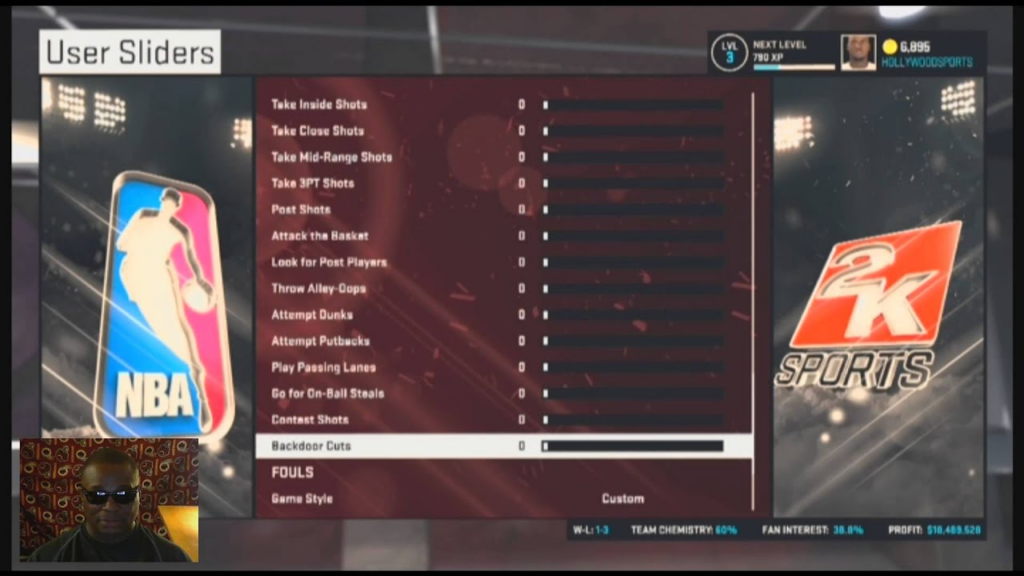
How to Adjust Sliders in NBA 2K15 My Career
Accessing the Settings
- Start NBA 2K15 and navigate to the main menu.
- Select ‘Options’ from the list of available choices.
Locating the Sliders
- Within ‘Options’, find ‘Gameplay Settings.’
- From here, look for the ‘Sliders’ option, which allows you to modify different aspects of the game.
Modifying the Sliders
- Once inside the Sliders menu, adjust each slider to your preference.
- For a maxed-out experience, set each relevant attribute to 99.
- Save your settings and start playing to experience the changes.
These changes apply to My Career mode and will improve your player significantly in every aspect of the game.
Tips for Effective Slider Adjustments
Balance is Key
Setting all sliders to 99 can be fun, but it might make the game too easy. To maintain an enjoyable experience, consider balancing the settings by slightly reducing certain sliders, such as fouls and three-point shooting accuracy.
Test Your Settings
After adjusting your sliders, play a few games to see how they affect gameplay. If the game feels too easy or unrealistic, tweak the sliders accordingly.
Focus on Key Attributes
Rather than maxing out everything, prioritize key attributes matching your play style. If you love shooting three-pointers, boost your shooting accuracy. If you enjoy aggressive defense, increase steal and block sliders.
Potential Challenges with Maxed-Out Sliders
While setting sliders to 99 makes the game easier, it also presents some potential downsides:
- Reduced Challenge – Winning becomes effortless, which can make the game boring over time.
- Less Realism – NBA 2K15 aims for realism, and maxed-out sliders can make games feel less authentic.
- Predictable Outcomes—If your player never misses a shot or loses a game, it can dull the excitement of competition.
To counter these issues, experiment with different slider settings that enhance fun while maintaining some level of challenge.
Community Insights on Slider Adjustments
Many NBA 2K15 players share their slider settings online to help others optimize their gameplay. Forums, Reddit discussions, and YouTube videos provide valuable insights into effective slider configurations. Some players prefer sliders closely mimicking real NBA games, while others enjoy exaggerated, arcade-like settings. Exploring community suggestions can help you find the perfect balance for your game.
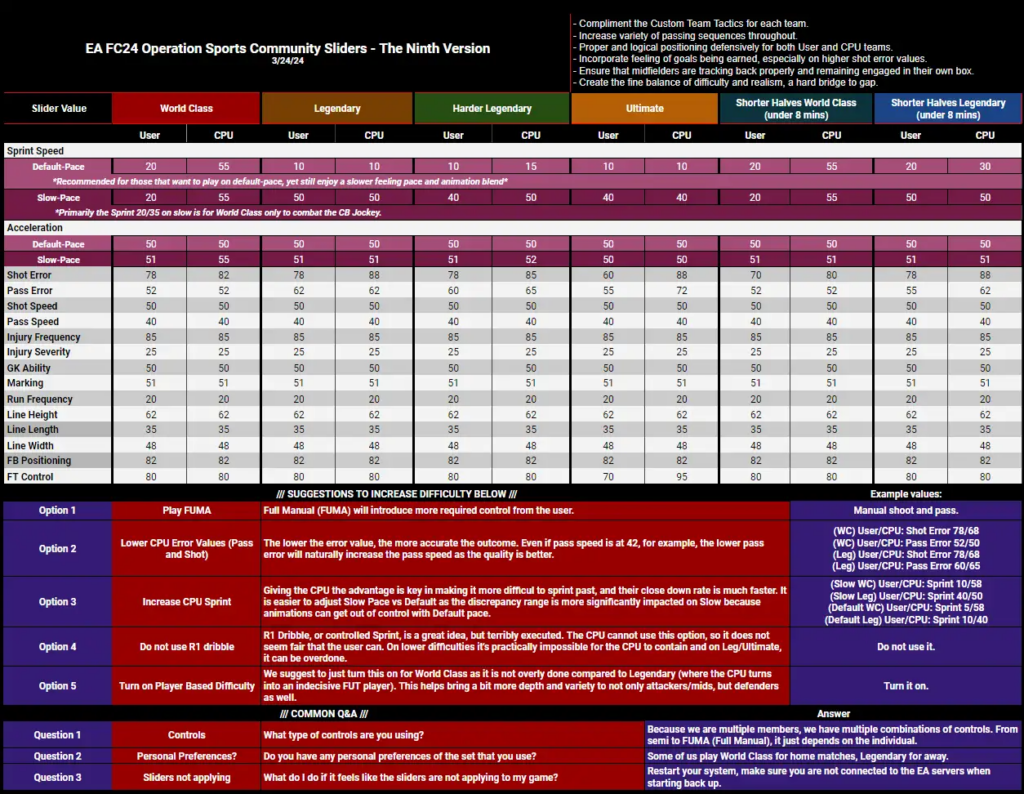
Popular Slider Adjustments Shared by Players
- Realistic Mode: Slightly increased shooting accuracy, balanced fouls, and moderate defensive strength.
- Arcade Mode: High shooting percentages, increased speed, and reduced foul calls for a fast-paced experience.
- Competitive Mode: Balanced settings with slight boosts to key areas for a fun but fair challenge.
The Bottom Line: Enhancing Your NBA 2K15 Experience
Adjusting sliders in NBA 2K15’s My Career mode is a powerful way to customize your gaming experience. Whether you want to dominate with maxed-out settings or find a realistic balance, sliders let you control the difficulty and playstyle to match your preferences.
Experiment with different slider settings to find what works best for you. The key is to have fun while creating an engaging and rewarding gameplay experience. If the game feels too easy, consider lowering some sliders to restore the challenge.
Additional Resources
- Official NBA 2K15 Forums – Connect with other players and discuss slider settings and gameplay strategies.
- YouTube Tutorials – Watch step-by-step guides on optimizing slider settings.
- Reddit NBA 2K Community – Get real-time advice and insights from experienced players.
By adjusting your sliders wisely, you can take your NBA 2K15 My Career experience to the next level and enjoy every moment on the court.
if you need more interesting blogs so click here: techspare